User Research & UX/UI Design | E-Commerce
Beautycounter
Beautycounter launched a subscription program to drive recurring sales and deepen customer loyalty. To support this initiative, the company needed to empower consultants to identify clients most likely to enroll and provide them with tools to pitch subscriptions effectively.
$7.2M
60K+
5%

Revenue Impact
Consultants
Sales increase
The Results: After launching the redesigned consultant dashboard for 60,000+ consultants, Beautycounter saw a ~5% lift in subscription sales from consultant referrals within the first week, driving an estimated $7.2M impact across ~$144M in digital revenue.
Role: UX Research + UI Design
Timeframe: 4 months
Team: 1 Designer, 2 Product Managers & 2 Devs
Enabling Sales Consultants to Upsell Subscriptions
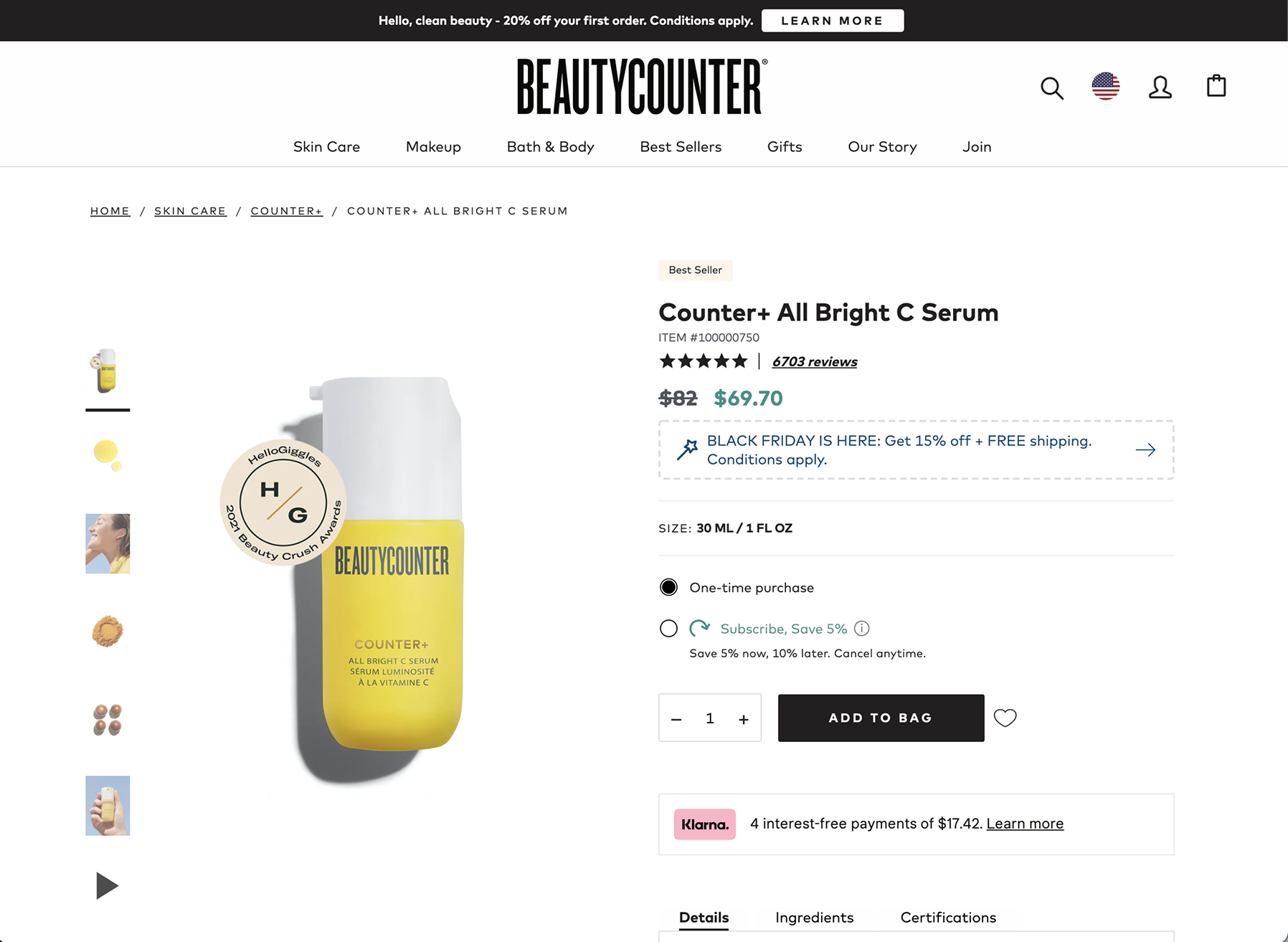
Project Overview:
Upselling Subcriptions
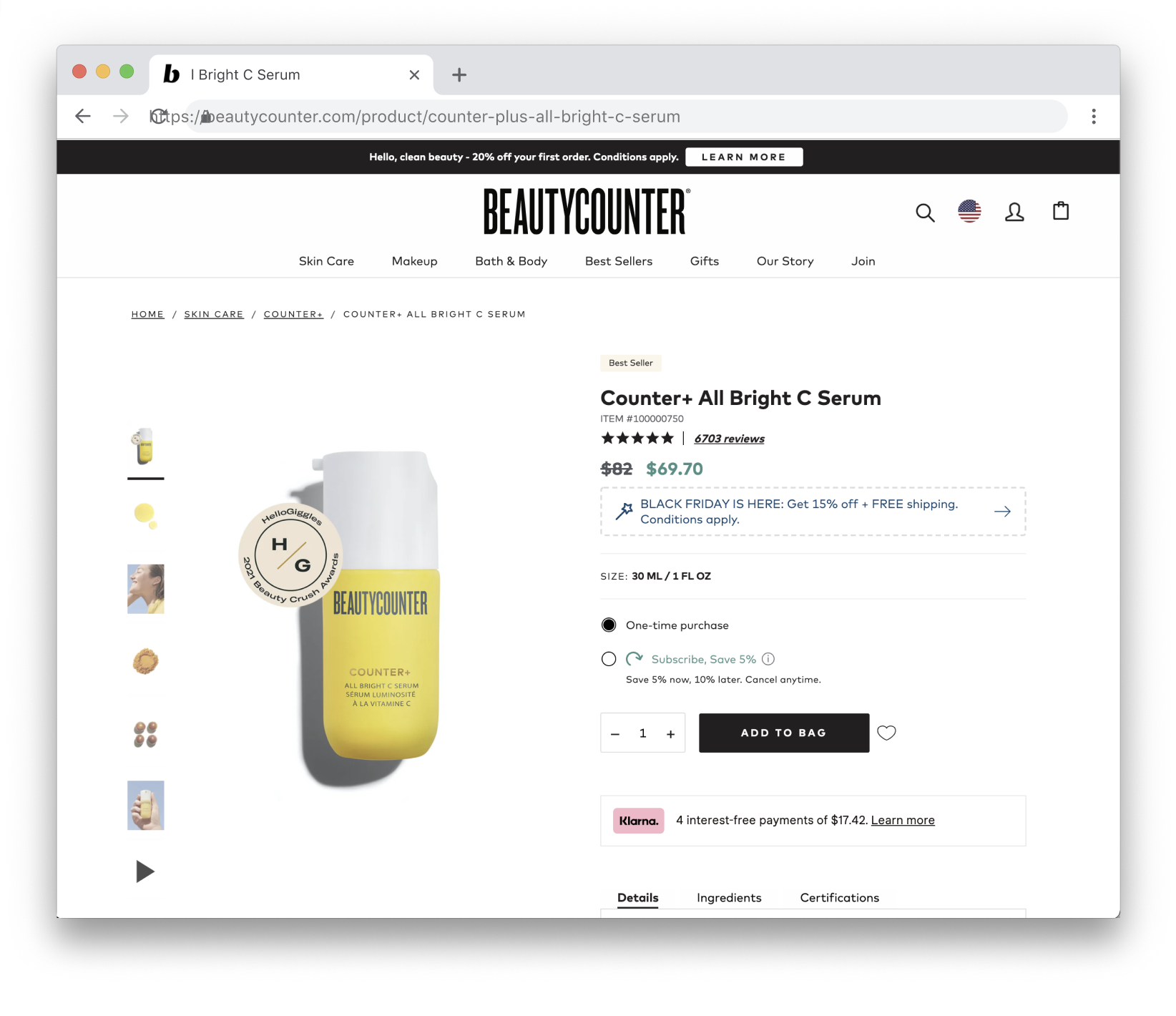
When Beautycounter launched its subscription program, it wanted consultants to upsell products available in the program by reaching out to clients who frequently shop and offering savings with a subscription.
The Challenge:
Consultants could not easily identify repeat shoppers or their repeatedly purchased products. Consultants could not start subscriptions for customers.
The Solution:
Introduce new consultant dashboard features that would highlight subscription-eligible products and enable consultants to quickly identify customers who were already frequently buying them.
User Empathy: Review of User Feedback, Data, and Limitations
Consultant Feedback
Interviews conducted with consultants revealed what consultants looked for when preparing to reach out to customers. Consultants expressed a desire for more streamlined methods to find clients who had member credits, indicating they were frequent shoppers. They also wanted a faster way to view customers’ order histories and determine which clients were already primed for product upsells.
Dashboard Data
Consultants preferred desktop dashboard access to quickly browse customer data to view customer profiles and order histories.
Consultant Limitations
Consultants couldn’t create product subscriptions for their customers.
Finding products to recommend for subscriptions meant reviewing individual customer order histories.
Consultants were losing time scanning client profiles for frequently purchased products.
Development Limitations
The consultant dashboard was already slated for a redesign due to mobile dashboard limitations, but enabling consultants to upsell subscriptions took precedence over mobile usability.
In user interviews, consultants said:
“Looking through all of my client’s orders is really cumbersome. I have to open each one individually.”
“I always have to go back to the customer’s profile to get their contact information.”
“I never really use the order filters much unless I’m looking for orders from a specific time period.”
“I started tracking their most ordered products in my notes app. It’s not too bad since I don’t have many customers yet.”
“I’m always looking for genuine outreach opportunities.”
“I log in and check to see who has member credit they can use to save and something new.”
Design: New Feature Ideation
Sales Opportunity Filters:
Preset filters were created to show consultants which customers would be ideal to contact soon, and who were already ordering subscription-eligible items.New Order Detail CTAs:
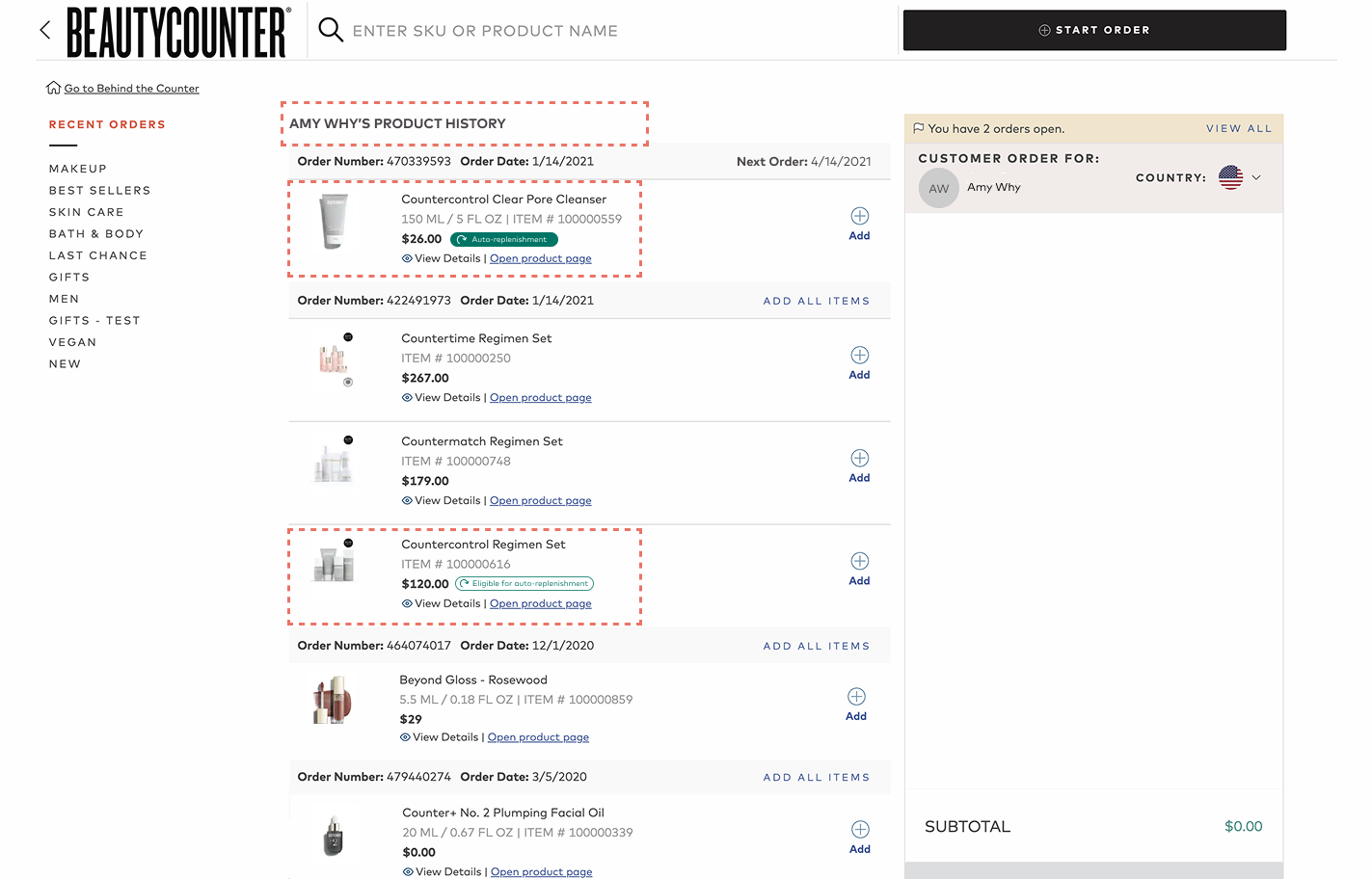
Contact information is added to encourage faster outreach, subscription-eligible products are labeled, and a new button leads to the customer’s full product history.Customer Product History:
The customer Product History page was originally titled “Recent Orders”. It showed consultants the client’s full purchase history, but the title made it hard for consultants to remember whose profile they were viewing. To increase clarity, we updated the page title “Recent Orders” to “(Customer Name) Product History”.
We also clarified which products were purchased by a customer and labeled them based on whether their subscription status was active.
When an item was not part of a subscription but eligible, its status was displayed as “subscription-eligible”.
Sales Opportunity Filters:
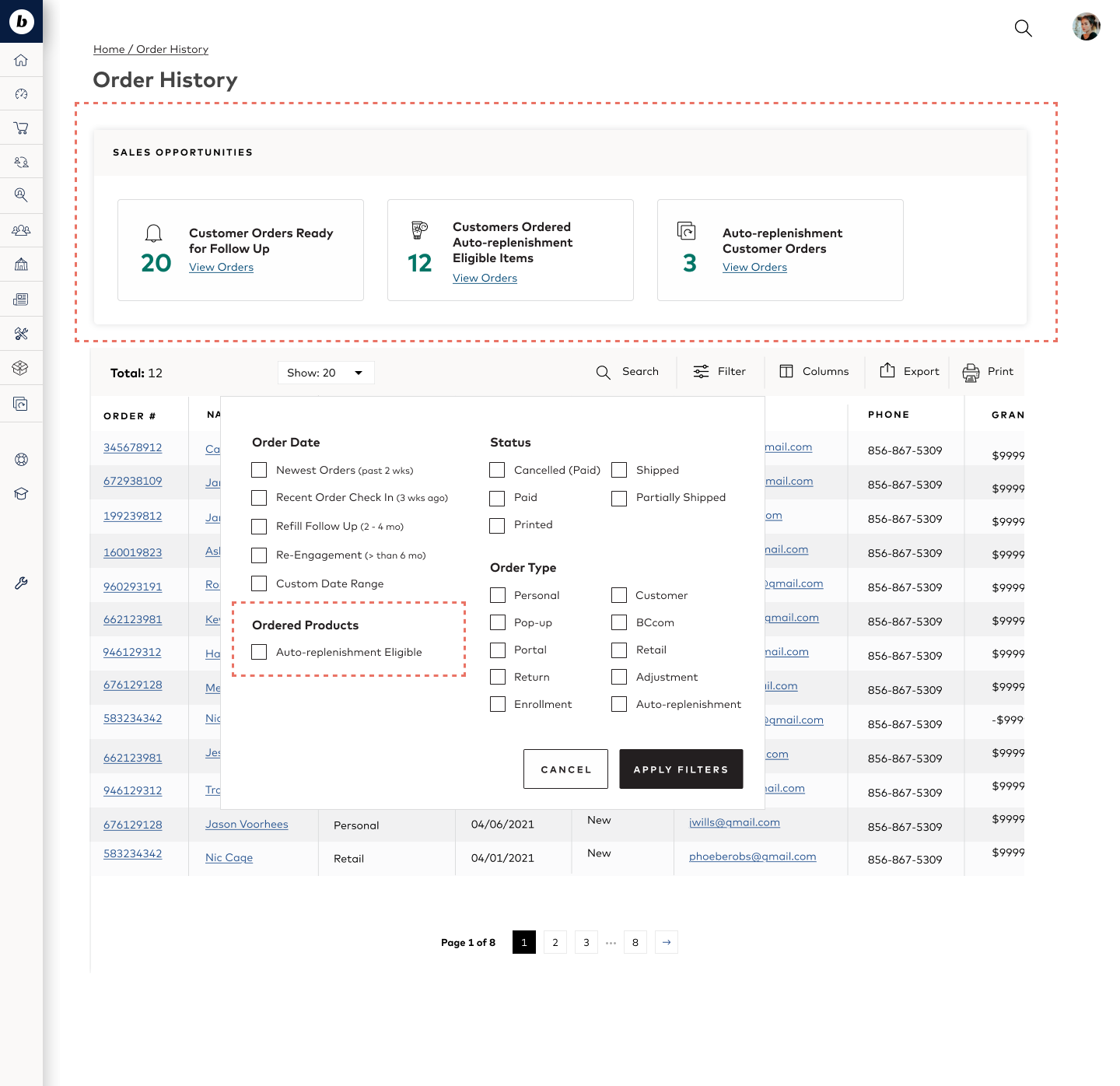
New Order Detail CTAs:

Customer Product History
User Testing New Feature Ideas:
In order to validate the effectiveness of these new features, I conducted moderated and unmoderated tests with consultants. I built a prototype of the consultant dashboard and wrote an unmoderated test script to walk users through the new features.
The test asked consultants to complete tasks related to finding customers to offer subscriptions. After completing a task, consultants were asked to rate their ease in finding customers to refer to a subscription purchase.
How do you feel about the new features you used to find these clients?
Featured Testing Questions:
Where would you look for products a customer has purchased?
How would you search for clients who have purchased subscription items?
How would you search for clients who have purchased subscription items?
Test Results:
All consultants attempted to visit the Customers list to find items a customer had purchased with the intention of viewing each Customer’s Profile Page.
All consultants used the new Sales Opportunity filters to find customers who were buying subscription products.
4 of the 5 consultants attempted to navigate to the Customer Profile Page instead of Order Details to see what eligible products were purchased.
2 of 5 consultants forgot to follow test prompts and began exploring the prototype, looking for customers to offer subscriptions. Both felt the new features were very helpful.
Notable User Behavior:
Consultants attempted to visit Customer Profile Pages whenever they saw customer names as a link.
Design Iteration
Test Results-Based Design Iterations
Customer Profile Order Number Labels:
Following user testing, we discovered that consultants wanted to see what clients were already buying subscription-eligible products directly from their customer profile page. A subscription icon was added next to customer order numbers to indicate when an order contained subscription-eligible products.

Learnings:
Consultant testing requires additional onboarding: This was our first time conducting unmoderated prototype tests with consultants. This presented unexpected challenges, but ultimately gave more insight into what consultants needed to know before testing a prototype
Testing for new features based on current functionality helped uncover user expectations around page functionality: The Sales Opportunity filters were originally on the Order History page for quicker development because product tracking was already built into this page. Testing new features helped surface that Consultants had different expectations of where that information would be found.
Considerations for Future Iterations:
Determine how we might increase the visibility of customer purchase activity on the Customer Profile page.
Explore introducing dashboard customization that allows consultants to save multiple preferred filters.